1.0.0-alpha04: Early access fixes

:warning: Alpha warning

  • Assume that you’ll have to redo all your settings when upgrading from this version
    • e.g.: Going from 1.0.0-alpha01 to [1.0.0-alpha02 or 1.0.0-beta01 or 1.0.0] will result in config loss
  • Expect some bugs
  • Some pages aren’t fully implemented

Downloads

These aren’t available on the app stores nor the website

:warning: This version is compatible with 0.27 but not previous alpha versions. All devices need to be on the same alpha version otherwise connecting will fail

iOS

Android

Windows

macOS

Linux

If the deb complains about libflac8, use the archive for now

Changelog

1.0.0-alpha04 (2025-10-06)

  • Updated the UI library which improves performance on Windows machines that use old graphics drivers
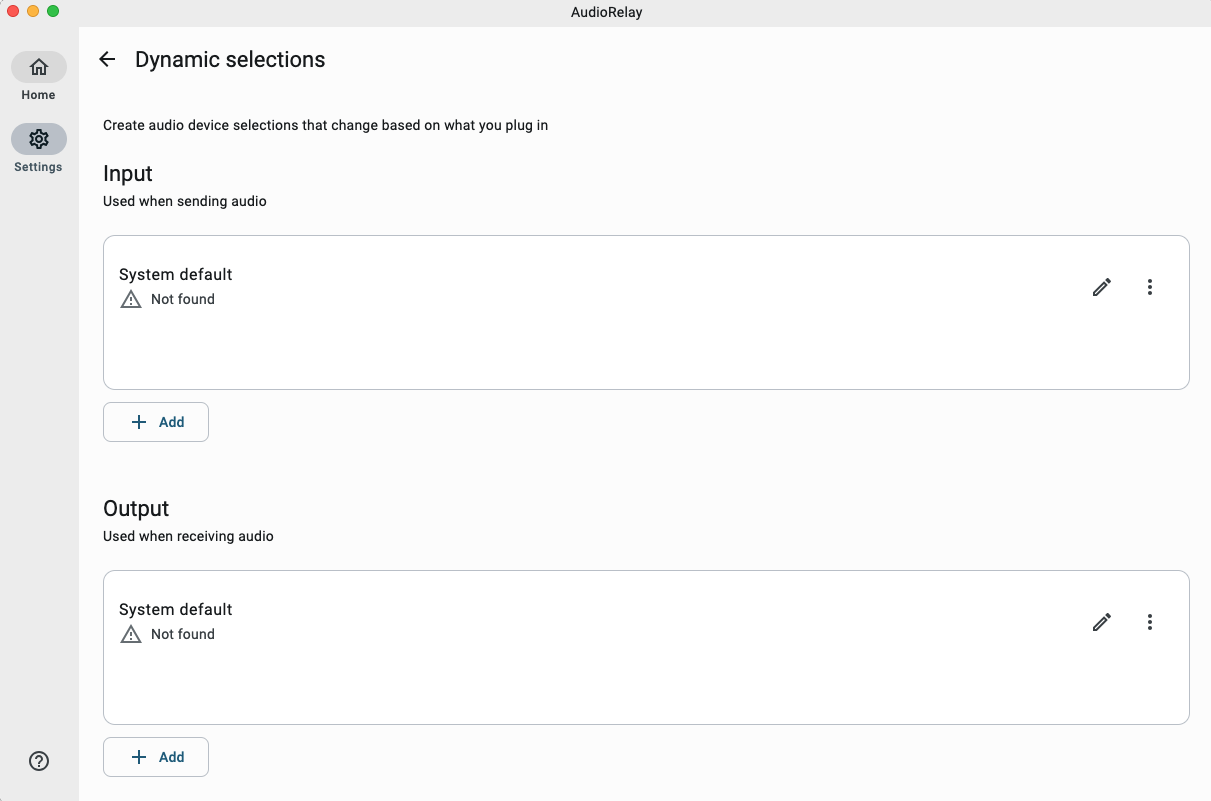
  • (Early access) You can select any audio device from the dropdown menus. No need to create custom configs in the settings
  • (Early access) Fixed suggestions in the name editor not working
  • (Early access) Fixed NoClassDefFoundError appearing in error logs instead of the real error

Android

  • When sending mic input, ask the system to capture in stereo instead of mono
  • (Early access) Fixed legacy connections not stopping when unplugging an headphone

macOS

  • Add AudioRelay to the menubar
    • You can close the window via Cmd + W to remove the app from the Dock

Windows

  • (Early access) Fixed not being able to close the window when Minimize on close is enabled (Report)
  • (Early access) Fixed the option to start minimized not working

Linux

  • Try to fix dependency issues on deb install (libflac8)

iOS

  • Add crash reporting
  • Fixed previous purchases not showing up as purchased
  • Removed the Allow legacy connection settings
  • Fixed infinite “Connecting…” state
  • Fixed dialogs sometimes not showing
  • Make the Home view load faster on old devices
  • Don’t show legacy devices on the Devices list (Those that use the 59100 port)

Previous versions

AudioRelay 1.0.0-alpha03
AudioRelay 1.0.0-alpha01

Known issues

General

  • Most translations are out of date
  • Some screens are missing
    • Premium screen on desktop
    • The disconnected screens of connections
  • Microphone permissions requests are a bit hidden
  • There’s now a legacy network protocol (used by 0.x.x) and a new one. It’s not clearly surfaced in the UI
  • The documentation isn’t up to date

macOS

  • A user reported that the app failed to load its audio device

iOS

  • Missing audio routing, interruption handling and the equivalent to Android’s playback notifications

Limitations

  • You can’t have multiple audio streams that send audio to AudioRelay’s virtual mic

Notes

  • Sharing Android’s audio won’t work for every app, check the compatibility here
  • Prices are increasing for the 1.0.0 release. For the early bird price, purchase premium from the 0.x.x version or, use the coupon EARLYACCESS2025 on the web for the monthly or lifetime purchases.
  • The main site doesn’t link to these pages for now:

Feedback

I can’t seem to find or select any audio devices on MacOS Tahoe 26.0.1. I tried the “Rescan the list of audio devices”, nothing seems to work.

When I opened the app, there were no permissions requested for audio devices, so I don’t know if that’s the problem, or if there’s a manual way I can add it. I would really like to try this app between MacOS and iOS.

Let me know if you need any logs or anything, but the only thing I did was opening the app and tried to select a device.

I can’t reproduce on a fresh VM of macOS 26.0.1.

Yes, please post the logs. They’re reachable from the settings.
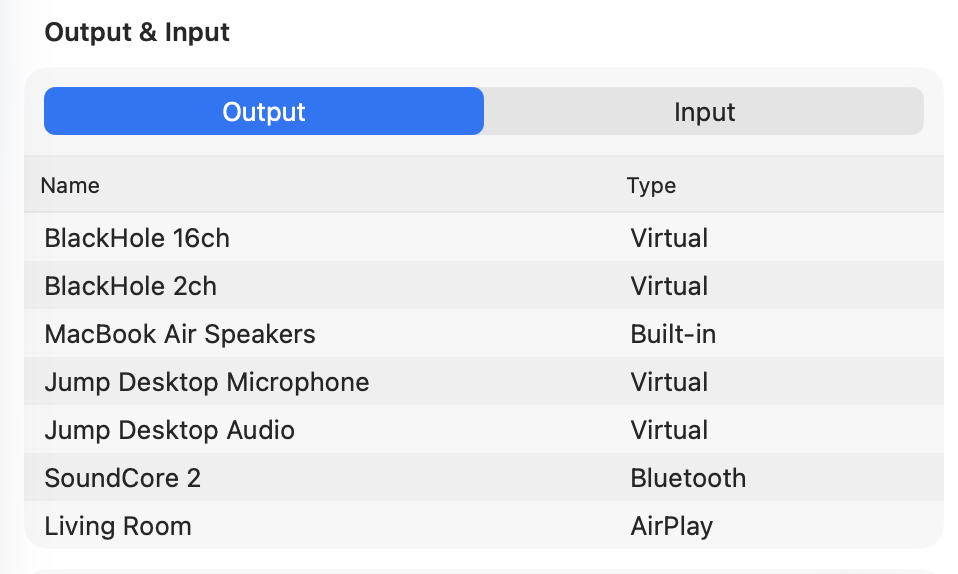
Would you mind making a screenshot of your audio devices? Maybe there’s an incompatibility there…

Apologies for the delay.

Indeed there is an error in the logs. I can’t upload an attachment as I’m new, so here’s the first snippet from the logs; the error that occurs here just repeats every few seconds (also, IP and device name redacted)

2025-10-10 13:26:42.644 [INF] Version: 1.0.0-alpha04, os: Mac OS X, osVersion: 26.0.1, arch: aarch64
2025-10-10 13:26:42.672 [INF] Setting the locale to en
2025-10-10 13:26:42.721 [INF] Sentry initialized
2025-10-10 13:26:42.734 [INF] Checking for update...
2025-10-10 13:26:42.736 [INF] Starting the server...
2025-10-10 13:26:42.736 [INF] Waiting for devices from RtAudio…
2025-10-10 13:26:42.745 [INF] Starting to broadcast DNS-SD…
2025-10-10 13:26:42.745 [INF] Starting to broadcast over UDP…
2025-10-10 13:26:42.752 [INF] Network addresses: NetworkInfo(broadcastAddresses=[WithoutPort(host=192.168.2.255)], localAddresses=[WithoutPort(host=xxx.xxx.xxx.xx), WithoutPort(host=192.168.2.162)])
2025-10-10 13:26:42.754 [INF] Trying to bind the server on port 29150…
2025-10-10 13:26:42.858 [WRN] System error: SystemErrorId(value=RTAUDIO_DEVICES_ERROR)
2025-10-10 13:26:42.860 [ERR] Audio backend failure
java.lang.RuntimeException: wstring_convert: from_bytes error
	at com.azefsw.audioconnect.rtaudio.JniAudioManager$CppProxy.native_getDevices(Native Method)
	at com.azefsw.audioconnect.rtaudio.JniAudioManager$CppProxy.getDevices(SourceFile:2)
	at tqb.a(SourceFile:54)
	at wb4.a(SourceFile:3)
	at axb.invoke(SourceFile:2)
	at zwb.a(SourceFile:30)
	at zwb.a(SourceFile:2)
	at oqb.invokeSuspend(SourceFile:1)
	at oqb.invoke(SourceFile:2)
	at da4.a(SourceFile:115)
	at yb4.a(SourceFile:1)
	at uqb.a(SourceFile:1)
	at yb4.a(SourceFile:1)
	at xqb.a(SourceFile:1)
	at h94.a(SourceFile:153)
	at ga4.a(SourceFile:1)
	at h94.a(SourceFile:909)
	at yqb.invokeSuspend(SourceFile:18)
	at yqb.invoke(SourceFile:2)
	at gxb.a(SourceFile:5)
	at h94.a(SourceFile:153)
	at ga4.a(SourceFile:1)
	at h94.a(SourceFile:153)
	at la4.a(SourceFile:1)
	at z61.invokeSuspend(SourceFile:3)
	at iu.resumeWith(SourceFile:5)
	at p83.run(SourceFile:170)
	at ez1.run(SourceFile:515)

2025-10-10 13:26:42.864 [INF] Sentry initialized
2025-10-10 13:26:42.986 [INF] Got current ID in 240.392042ms
2025-10-10 13:26:43.011 [INF] Showing main window...
2025-10-10 13:26:43.173 [INF] Rendering api: METAL
2025-10-10 13:26:43.229 [INF] Found no update
2025-10-10 13:26:43.328 [INF] Broadcasting with hostname: redacted-MacBook-Air.local on address 192.168.2.162…
2025-10-10 13:26:43.357 [INF] Broadcasting with hostname: redacted-MacBook-Air.local on address xxx.xxx.xxx.xx…
2025-10-10 13:26:43.366 [INF] Discovering services on WithoutPort(host=xxx.xxx.xxx.xx)…
2025-10-10 13:26:43.366 [INF] Discovering services on WithoutPort(host=192.168.2.162)…


List of devices:

So, the macOS app fails to list devices when 1 of them contains a non-ascii character (e.g.: any accents) :man_facepalming:

It should work in the next version, thanks for the details.

In the meantime, the output names seem fine, check if there’s a input device with non ascii characters and try to rename it.

Good catch. My inputs list did have an iPhone continuity camera as one of the options, and of course it’s using the iOS’s smart quote in its name.

Renaming the device seems to have fixed this issue. I’m having some other issue in connecting, but I’ll play around with it some more to try and resolve it.

hello, i have this issue on Windows 11 > iOS 18.7.1

both devices are connected but i dont hear any sound

i get an error window with the following content

app_version: 1.0.0-alpha04os: Windows 11os_version: 10.0arch: amd64skiko_rendering_api: DIRECT3Dthread: AWT-EventQueue-0
hsa: Error while decoding er4at gsa.b(SourceFile:142)at tea.a(SourceFile:9)at xl1.a(SourceFile:94)at yb4.a(SourceFile:3)at jb9.a(SourceFile:22)at hb9.invokeSuspend(SourceFile:1)at xu.resumeWith(SourceFile:5)at s93.run(SourceFile:170)at te4.a(SourceFile:83)at te4.invokeSuspend(SourceFile:45)at xu.resumeWith(SourceFile:5)at s93.run(SourceFile:170)at java.desktop/java.awt.event.InvocationEvent.dispatch(Unknown Source)at java.desktop/java.awt.EventQueue.dispatchEventImpl(Unknown Source)at java.desktop/java.awt.EventQueue.dispatchEvent(Unknown Source)at java.desktop/java.awt.EventDispatchThread.pumpOneEventForFilters(Unknown Source)at java.desktop/java.awt.EventDispatchThread.pumpEventsForFilter(Unknown Source)at java.desktop/java.awt.EventDispatchThread.pumpEventsForFilter(Unknown Source)at java.desktop/java.awt.WaitDispatchSupport$2.run(Unknown Source)at java.desktop/java.awt.WaitDispatchSupport.enter(Unknown Source)at java.desktop/java.awt.Dialog.show(Unknown Source)at java.desktop/javax.swing.JOptionPane.showOptionDialog(Unknown Source)at lne.b(SourceFile:32)at com.azefsw.audioconnect.desktop.app.MainKt.c(SourceFile:2)at java.desktop/java.awt.event.InvocationEvent.dispatch(Unknown Source)at java.desktop/java.awt.EventQueue.dispatchEventImpl(Unknown Source)at java.desktop/java.awt.EventQueue.dispatchEvent(Unknown Source)at java.desktop/java.awt.EventDispatchThread.pumpOneEventForFilters(Unknown Source)at java.desktop/java.awt.EventDispatchThread.pumpEventsForFilter(Unknown Source)at java.desktop/java.awt.EventDispatchThread.pumpEventsForHierarchy(Unknown Source)at java.desktop/java.awt.EventDispatchThread.pumpEvents(Unknown Source)at java.desktop/java.awt.EventDispatchThread.pumpEvents(Unknown Source)at java.desktop/java.awt.EventDispatchThread.run(Unknown Source)Caused by: hsa: Error while decoding kotlin.collections.ArrayList at proto number 1 of er4at gsa.b(SourceFile:142)at gsa.b(SourceFile:5)at cr4.a(SourceFile:5)at gsa.b(SourceFile:120)… 32 moreCaused by: hsa: Error while decoding index 0 in repeated field of a6aat gsa.b(SourceFile:142)at gsa.b(SourceFile:5)at r51.a(SourceFile:444)at vD.a(SourceFile:9)at gsa.b(SourceFile:118)… 35 moreCaused by: hsa: Error while decoding x5a at proto number 1 of a6aat gsa.b(SourceFile:142)at gsa.b(SourceFile:5)at y5a.a(SourceFile:9)at gsa.b(SourceFile:120)… 39 moreCaused by: hsa: Fail to get element index for x5a in x5aat gsa.c(SourceFile:1138)at v5a.a(SourceFile:2)at gsa.b(SourceFile:120)… 42 moreCaused by: hsa: Unsupported start group or end group wire type: INVALID(-1)at lsa.i(SourceFile:6)at gsa.c(SourceFile:1098)… 44 more

Why Audiorelay 1.0.0.4 doesnt appear in TestFlight? it just appear the 1.0.0.3 alpha, it doesnt have the option to update

@SLATT Thanks for the heads up, I wanted to make a stealth update without sending a notification to everyone. It ended with the update not being pushed at all!

@Minh_Hoang @nonukez Your connections issues should be fixed by updating the iOS app to 1.0.0-alpha04 (1.0.0.4 in TestFlight)

1 Like

Hi, for some reason when I try to log in or sign up on ios it just loads infinitely?

Havent had issues with this version on windows.

One user experience issue was that it took me way too much time to figure out that there is submenu for device you are connected to where you assign audio device. it could maybe list current audio device or selection on main screen already.

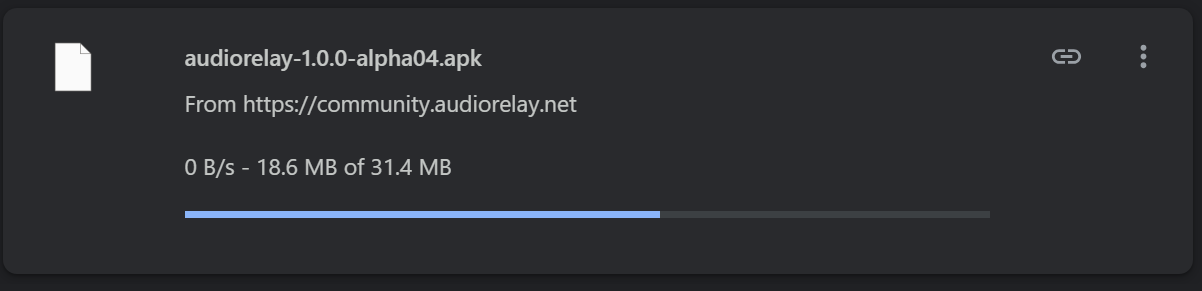
cant seem to download the android apk, keeps getting stuck halfway

no issues with windows version

On Linux (macOS being INPUT and Linux being OUTPUIT) I get a Buffer 0ms, Latency N/A

Input on macOS is BlackHole 2Ch Output on Linux (tried Default ALSA Device, PulseAudio Server and the actual USB Headset)… On SonoBus (competitor app) it works. Also works on Windows (AudioRelay) as the output device.

2025-11-06 13:19:38.230 [INF] Connecting to server: /10.1.1.231:29150…
2025-11-06 13:19:38.234 [INF] Connected to server:  local: /10.1.1.20:51538 remote: /10.1.1.231:29150
2025-11-06 13:19:38.276 [INF] Bound UDP port 29150
2025-11-06 13:19:38.288 [WRN] Can't start output, got an null audio config from the remote agent
The reported device's output latency is 0 or unavailable
2025-11-06 13:19:41.279 [WRN] UDP socket timed out, the app is not receiving audio data packets
2025-11-06 13:19:43.284 [WRN] UDP socket timed out, the app is not receiving audio data packets
2025-11-06 13:19:44.380 [WRN] UDP socket timed out, the app is not receiving audio data packets