1.0.0-alpha06: Fixed crashes

:warning: This is an old version, please check the latest releases.
Changelog

1.0.0-alpha06 (2026-01-05)

  • Fixed a crash occurring when connecting to an incompatible alpha version

Windows

  • Better handle the abscence of the Media Feature Pack (mfplat.dll)
    • The app still lists the available audio devices
    • It’s still possible to send audio
    • It shows a warning with a link to instructions when trying to receive audio

iOS

  • Hopefully fixed crashes that occurred randomly
    • One related to post connection cleanup
    • One related to zeroconf (bonjour) responses and text encoding

macOS

  • Fixed a crash occurring after disconnecting or reconnecting an audio device

Previous versions

1.0.0-alpha05: Early access fixes
1.0.0-alpha04: Early access fixes
1.0.0-alpha03: First iOS version
1.0.0-alpha01: Listen from multiple devices, require connection approval, audio settings on desktop, premium on desktop, linux ARM

Known issues

General

  • Most translations are out of date
  • There’s now a legacy network protocol (used by 0.x.x) and a new one. It’s not clearly surfaced in the UI
  • The documentation isn’t up to date

iOS

  • Missing device-wide audio capture
  • Missing the equivalent to Android’s playback notifications

Limitations

  • You can’t have multiple audio streams that send audio to AudioRelay’s virtual mic

Notes

  • Sharing Android’s audio won’t work for every app, check the compatibility here
  • Prices are increasing for the 1.0.0 release. For the early bird price, purchase premium from the 0.x.x version or, use the coupon EARLYACCESS2025 on the web for the monthly or lifetime purchases.
  • The main site doesn’t link to these pages for now:

Feedback

2 Likes

Problems when logging in to my old Android 6 phone

Hello, I have observed three issues in this version.

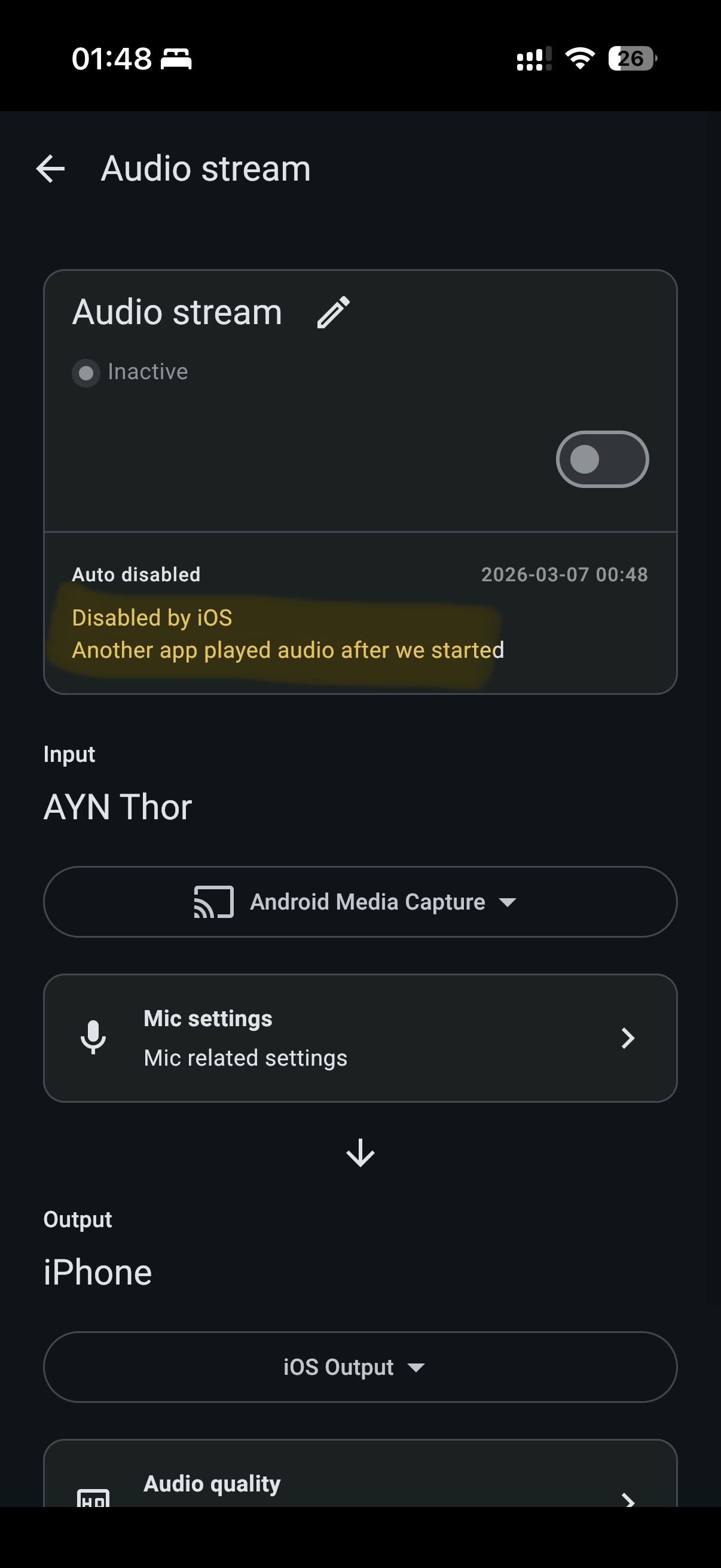
  1. For Windows(host) → iOS(receiver), the audio stream seems to be defaultly disabled, and showed Another app played audio after we started even though there was no other app playing audio. Also, I would suggest to auto resume once the other app is not playing or let AudioRelay always play (New to iOS, not sure if that’s achievable)
  2. On Windows, non-ascii characters in the menu expanded by right clicking the app’s icon cant be rendered correctly and shown as square boxes (This can be seen by switching app language to Chinese). [Windows 11 Pro 25H2, with Chinese Simplified, Chinese Traditional and Japanese installed in the system]
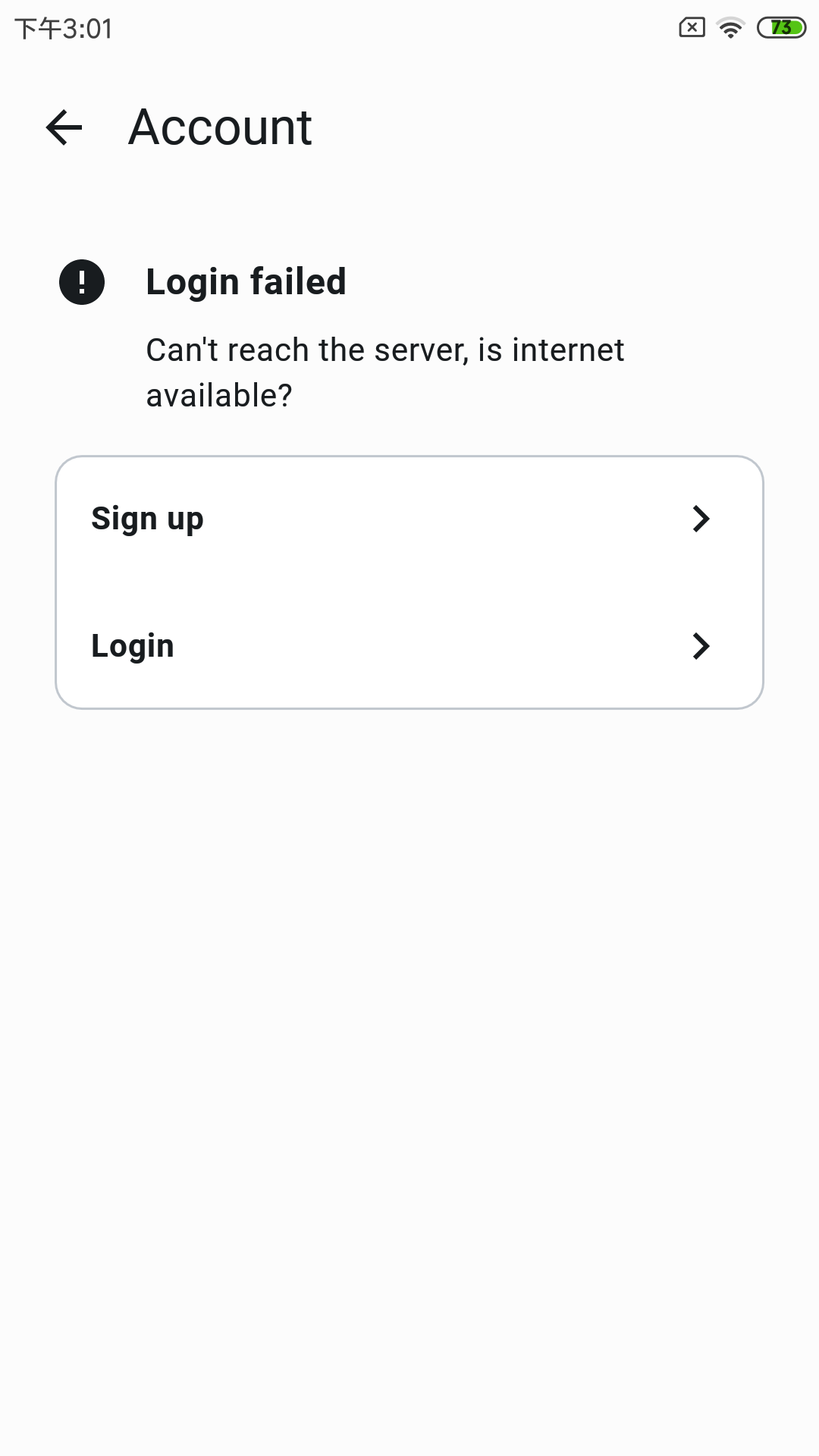
  3. On Android, the welcome message cant be dismissed (no reaction after clicking) [Android 15, arm64-v8a, OriginOS5, Vivo S17T]

I can’t tell you how happy I am right now. Don’t know how often I’ve searched for software like this over the last 6 years and never found anything. When there was something it was always only for Mac or without an iOS app. Luckily I stumbled across the alpha announcement. This is exactly what I’ve always been looking for and it works wonderfully too! Thank you! thank you! thank you!

I have 2 questions.
For audio quality “uncompressed” can you say how many Kb/s that corresponds to?
On iOS the mic already has noise suppression/voice isolation. Does it still make sense to activate the noise suppression for the microphone in AudioRelay?

1 Like

Is it possible to add seats to the TestFlight beta? Would love to help test

Hopefully a temporary issue…
But as a heads up, the app will need a minimum of Android 7 in the next version.

I guess it could be another app that triggered the interruption by preparing its audio before really playing anything.
The next version will tell the OS to mix AudioRelay’s audio with others by default. (Equivalent to the audio exclusivity option on Android)
Hopefully it’ll help in your case.

Reproduced both, thanks for the report!

Right now, it means 48khz * 16bit * 2ch = 1536 Kb/s

As an example, noise suppression completely removes keyboards sounds. Which you can fully hear without it.
I’ll need to check if the current code is missing anything around this, though.

1 Like

You should be able to join now

I’ll post this here since I’m using the beta. Unfortunately I can’t say if this is a new or old problem, since I haven’t used Audio Relay before. So here’s the thing, Windows 11 24H2. When the app autostarts, the audio devices aren’t found. In the log you can see that it’s not finding the .NET backend. If I manually close the app and start it manually, everything works. I’ve already removed and reinstalled the app, but the error is the same. Something’s causing a path to be wrong at startup. I can gladly send more info from the log if needed.

y2026-02-21 14:14:49.219 [INF] Version: 1.0.0-alpha06, os: Windows 11, osVersion: 10.0, arch: amd64
2026-02-21 14:14:49.305 [INF] Setting the locale to en
2026-02-21 14:14:49.379 [INF] Sentry initialized
2026-02-21 14:14:49.412 [INF] Starting IpcCoordinatorService...
2026-02-21 14:14:49.421 [INF] Got open message port at 59300
2026-02-21 14:14:49.425 [INF] Messages socket waiting on a connection...
2026-02-21 14:14:49.426 [INF] Checking for update...
2026-02-21 14:14:49.429 [INF] Waiting for dotnet backend...
2026-02-21 14:14:49.430 [INF] Starting the server...
2026-02-21 14:14:49.443 [INF] Waiting for devices from windows' backend...
2026-02-21 14:14:49.443 [INF] Waiting for devices from RtAudio…
2026-02-21 14:14:49.444 [ERR] IpcCoordinatorService failed
java.io.IOException: Dotnet backend not found at .net/audiorelay-backend.exe. Try to reinstall the application
	at wq5.a(SourceFile:71)
	at is5.invokeSuspend(SourceFile:5)
	at ov.resumeWith(SourceFile:5)
	at mb3.run(SourceFile:170)
	at g12.run(SourceFile:515)
	Suppressed: java.net.SocketException: Socket closed
		at java.base/sun.nio.ch.NioSocketImpl.endAccept(Unknown Source)
		at java.base/sun.nio.ch.NioSocketImpl.accept(Unknown Source)
		at java.base/java.net.ServerSocket.implAccept(Unknown Source)
		at java.base/java.net.ServerSocket.platformImplAccept(Unknown Source)
		at java.base/java.net.ServerSocket.implAccept(Unknown Source)
		at java.base/java.net.ServerSocket.implAccept(Unknown Source)
		at java.base/java.net.ServerSocket.accept(Unknown Source)
		at rt5.invokeSuspend(SourceFile:2)
		at ov.resumeWith(SourceFile:5)
		at mb3.run(SourceFile:170)
		at gd7.run(SourceFile:1)
		at myd.run(SourceFile:1)
		at g12.run(SourceFile:503)

2026-02-21 14:14:49.464 [INF] [tff] Starting to broadcast zeroconf…
2026-02-21 14:14:49.464 [INF] Starting to broadcast over UDP…
2026-02-21 14:14:49.474 [INF] Trying to bind the server on port 29150…
2026-02-21 14:14:49.506 [INF] Network addresses: NetworkInfo(networkInterfaces=[ResolvedNetworkInterface(networkInterface=NetworkInterface(identity=Indexed(index=9, name='ethernet_32773'), displayName=VMware Virtual Ethernet Adapter for VMnet1), allBroadcastAddresses=[WithoutPort(host=172.16.111.255, networkIdentity=Indexed(index=9, name='ethernet_32773'))], allLocalAddresses=[WithoutPort(host=172.16.111.1, networkIdentity=Indexed(index=9, name='ethernet_32773')), WithoutPort(host=fe80::c091:cdc:a469:592d%ethernet_32773, networkIdentity=Indexed(index=9, name='ethernet_32773'))]), ResolvedNetworkInterface(networkInterface=NetworkInterface(identity=Indexed(index=19, name='ethernet_32774'), displayName=VMware Virtual Ethernet Adapter for VMnet8), allBroadcastAddresses=[WithoutPort(host=172.16.227.255, networkIdentity=Indexed(index=19, name='ethernet_32774'))], allLocalAddresses=[WithoutPort(host=172.16.227.1, networkIdentity=Indexed(index=19, name='ethernet_32774')), WithoutPort(host=fe80::dcf4:2ebd:7836:8927%ethernet_32774, networkIdentity=Indexed(index=19, name='ethernet_32774'))]), ResolvedNetworkInterface(networkInterface=NetworkInterface(identity=Indexed(index=21, name='ethernet_32777'), displayName=Hyper-V Virtual Ethernet Adapter), allBroadcastAddresses=[WithoutPort(host=172.28.47.255, networkIdentity=Indexed(index=21, name='ethernet_32777'))], allLocalAddresses=[WithoutPort(host=172.28.32.1, networkIdentity=Indexed(index=21, name='ethernet_32777')), WithoutPort(host=fe80::6c79:731a:6075:5c0f%ethernet_32777, networkIdentity=Indexed(index=21, name='ethernet_32777'))]), ResolvedNetworkInterface(networkInterface=NetworkInterface(identity=Indexed(index=20, name='ethernet_32778'), displayName=Realtek PCIe GbE Family Controller #2), allBroadcastAddresses=[WithoutPort(host=192.168.255.255, networkIdentity=Indexed(index=20, name='ethernet_32778'))], allLocalAddresses=[WithoutPort(host=192.168.30.1, networkIdentity=Indexed(index=20, name='ethernet_32778')), WithoutPort(host=fe80::b919:9dfd:bbd4:8324%ethernet_32778, networkIdentity=Indexed(index=20, name='ethernet_32778'))])])
2026-02-21 14:14:49.811 [INF] Got current ID in 344.684200ms
2026-02-21 14:14:50.008 [INF] Found no update
2026-02-21 14:14:52.500 [INF] Got open message port at 59300
2026-02-21 14:14:52.500 [INF] Messages socket waiting on a connection...
2026-02-21 14:14:52.501 [ERR] IpcCoordinatorService failed
java.io.IOException: Dotnet backend not found at .net/audiorelay-backend.exe. Try to reinstall the application
	at wq5.a(SourceFile:71)


And another question. Is there any explanation or documentation for the Dynamic Selections? I haven’t found anything online, would love to know what cool things you can do with them, because I didn’t quite get it just from the dialog alone.

Hi! Long time AudioRelay fan and lifetime member, just found out about the 1.0.0 alphas and the iOS beta release - amazing work, so excited to have all my devices mixed to one output :slight_smile:

i saw you already addressed earlier making the iOS app mix with other apps, just wanted to +1 the request, since I very commonly listen to a podcast or YouTube video while playing something on another device.

Are there any plans for a mixer view that‘d allow adjusting the volumes of each individual source?

And additionally, any plans to expose an api or allow commands/automation to allow e.g device auto-connection on boot without manual intervention, etc?

Thanks a lot!!

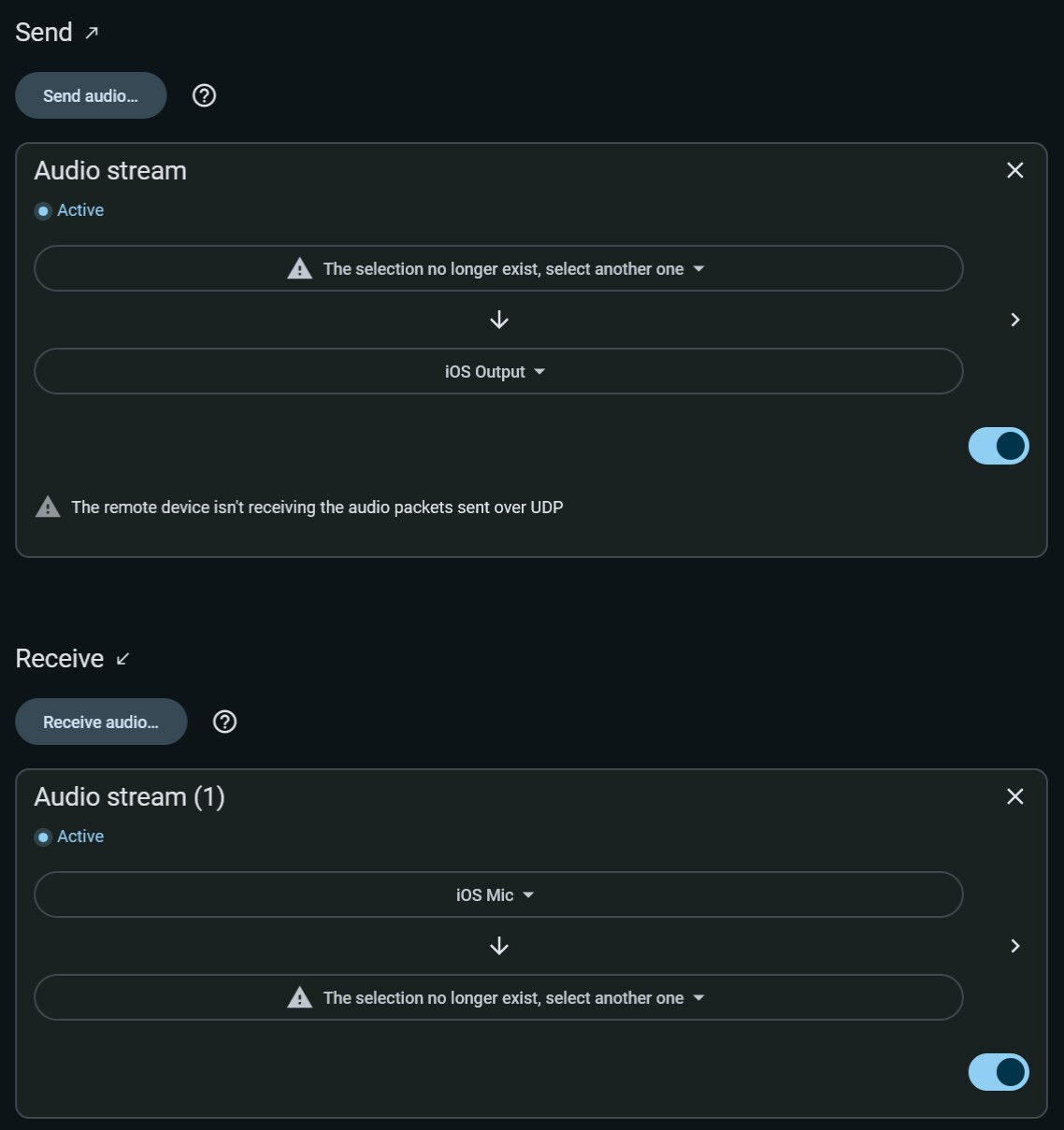
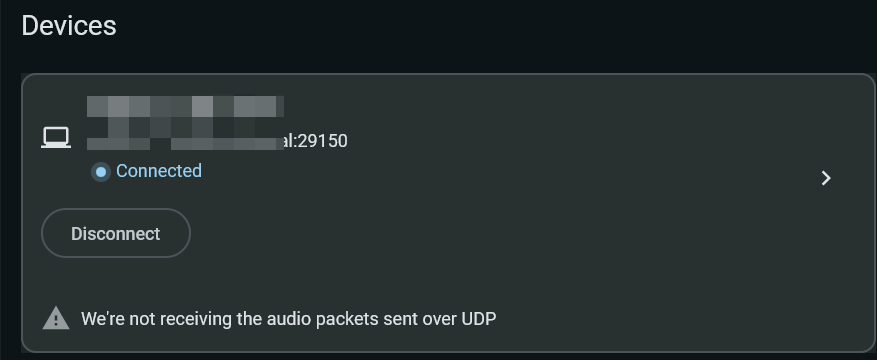
I am using audiorelay to connect two Windows PCs. Sometimes even when connected, audio cannot be received. Restarting audiorelay on both PCs and then reconnecting will allow audio to be received normally.

2026-03-07 15:12:00.048 [INF] Requesting connection to RSocket(address=WithPort(host=DESKTOP-A.local, port=29150, networkIdentity=Indexed(index=20, name='ethernet_32769')), expectedDeviceId=ZPTDP-CA6WB-S1EVY-41364-AY00N-2WZF9-0Y5WZ-Y0AN6-TMW5H-RYK1J-BGU, shouldAutoStartDefaultAudioSessions=true, info=ConnectionRequestInfo(remoteDeviceName=DESKTOP-A, remoteOs=Windows))
2026-03-07 15:12:00.050 [ERR] Failed to parse private key as EC
java.security.spec.InvalidKeySpecException: encoded key spec not recognized: algorithm identifier 1.2.840.113549.1.1.1 in key not recognised
	at org.bouncycastle.jcajce.provider.asymmetric.util.BaseKeyFactorySpi.engineGeneratePrivate(SourceFile:2)
	at org.bouncycastle.jcajce.provider.asymmetric.ec.KeyFactorySpi.engineGeneratePrivate(SourceFile:7)
	at java.base/java.security.KeyFactory.generatePrivate(Unknown Source)
	at rs0.a(SourceFile:8)
	at gb6.b(SourceFile:11)
	at aya.a(SourceFile:3)
	at uxa.a(SourceFile:176)
	at rxa.invokeSuspend(SourceFile:1)
	at ov.resumeWith(SourceFile:5)
	at mb3.run(SourceFile:168)
	at g12.run(SourceFile:515)

2026-03-07 15:12:00.055 [INF] Connecting to server: DESKTOP-A.local:29150…
2026-03-07 15:12:00.055 [INF] Binding to local address WithoutPort(host=192.168.1.91, networkIdentity=Indexed(index=20, name='ethernet_32769')) which corresponds to the network interface ethernet_32769...
2026-03-07 15:12:00.055 [INF] Connecting to DESKTOP-A.local:29150...
2026-03-07 15:12:00.056 [INF] Connected to server:  local: /192.168.1.91:9092 remote: DESKTOP-A.local/192.168.1.92:29150
2026-03-07 15:12:00.151 [INF] Bound UDP port 29150
2026-03-07 15:12:00.198 [WRN] Can't start output, got a null audio config from the remote device
2026-03-07 15:12:03.153 [WRN] UDP socket timed out, the app is not receiving audio data packets
2026-03-07 15:12:05.979 [ERR] [r0b] getAudioOutputConfigStream failed
bgb
	at f1b.invokeSuspend(SourceFile:45)
	at f1b.invoke(SourceFile:1)
	at wc4.a(SourceFile:112)
	at vc4.invokeSuspend(SourceFile:1)
	at ov.resumeWith(SourceFile:5)
	at mb3.run(SourceFile:170)
	at g12.run(SourceFile:515)
Caused by: java.util.concurrent.CancellationException: UserRequested
	at j12.a(SourceFile:1)
	at xb0.invokeSuspend(SourceFile:687)
	at xb0.invoke(SourceFile:1)
	at a1b.a(SourceFile:12)
	at tib.a(SourceFile:1)
	at pjc.invokeSuspend(SourceFile:19)
	... 3 more

2026-03-07 15:12:05.980 [WRN] [q20] RSocket session completed with an error
java.util.concurrent.CancellationException: UserRequested
	at j12.a(SourceFile:1)
	at xb0.invokeSuspend(SourceFile:687)
	at xb0.invoke(SourceFile:1)
	at a1b.a(SourceFile:12)
	at tib.a(SourceFile:1)
	at pjc.invokeSuspend(SourceFile:19)
	at ov.resumeWith(SourceFile:5)
	at mb3.run(SourceFile:170)
	at g12.run(SourceFile:515)

Is it possible to add seats to the TestFlight beta? Would love to help test. Thks!

Thanks for the report, it should work in the latest version.

No docs yet. The feature has changed a bit, it’s now in the advanced section of an input/output audio config.
Dynamic selections was maybe a name too big for what it does, though.
It’s a way to fallback the selection to another audio device if the previous one isn’t available.
Another case is, if your audio device has an ID that changes after every computer restart, then you can select by using its name instead.

1 Like

Could you please check 1.0.0-alpha07? From my testing, audio mixing seems to depend on how the other apps implemented their audio stack…

No plans yet, but I agree that a mixer/overview could be usefull.

Auto-connect options inside the app, yes. After shipping 1.0.0.
API or commands not yet.

I fixed a bug that looked like this in the latest version, could you please try it?

You should be able to join now!