Hi,
Android >=14 / API Level 34 Media Capture introduced the option to just “Share one app” when starting a screen sharing session and set it as the default option.
Currently on 1.0.0-alpha09 you can get to app selection dialog, but when you select an app there, the app opens and nothing else happens and you’ll have to start again and select the “Share entire screen” option.
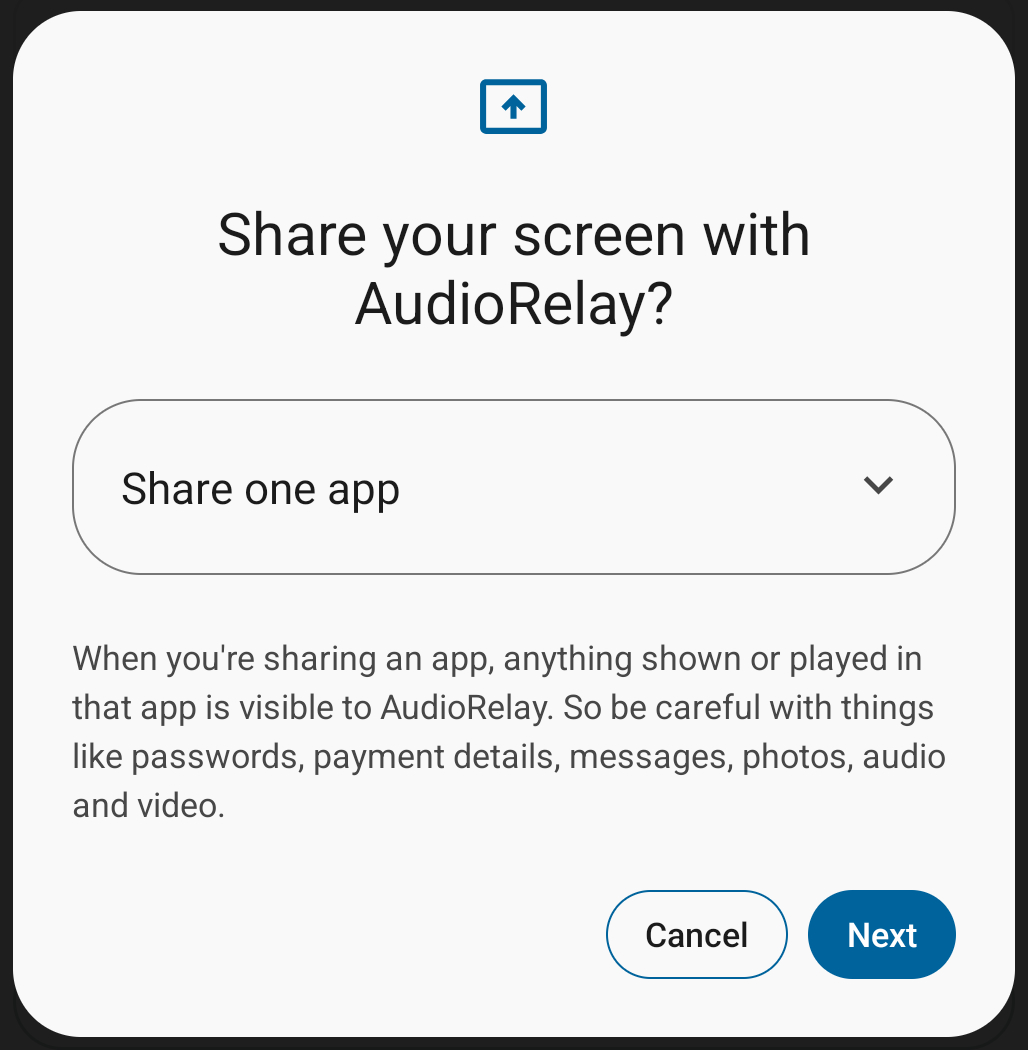
Having “Share the entire screen” as the default would probably be the best solution and
luckily developers can “limit the user’s choice to just the display specified.”, see: https://developer.android.com/reference/kotlin/android/media/projection/MediaProjectionManager#createscreencaptureintent_1
Could you please implement this behavior like so?
val intent =
    if (Build.VERSION.SDK_INT >= Build.VERSION_CODES.UPSIDE_DOWN_CAKE) {
        projectionManager.createScreenCaptureIntent(
            MediaProjectionConfig.createConfigForDefaultDisplay()
        )
    } else {
        projectionManager.createScreenCaptureIntent()
    }
Thank you for developing AudioRelay.
Best Regards
attero
ps.
You might also want to inform users about the Developer Options → “Disable screen share protections” toggle. Without this set you can’t read notifications while streaming audio.