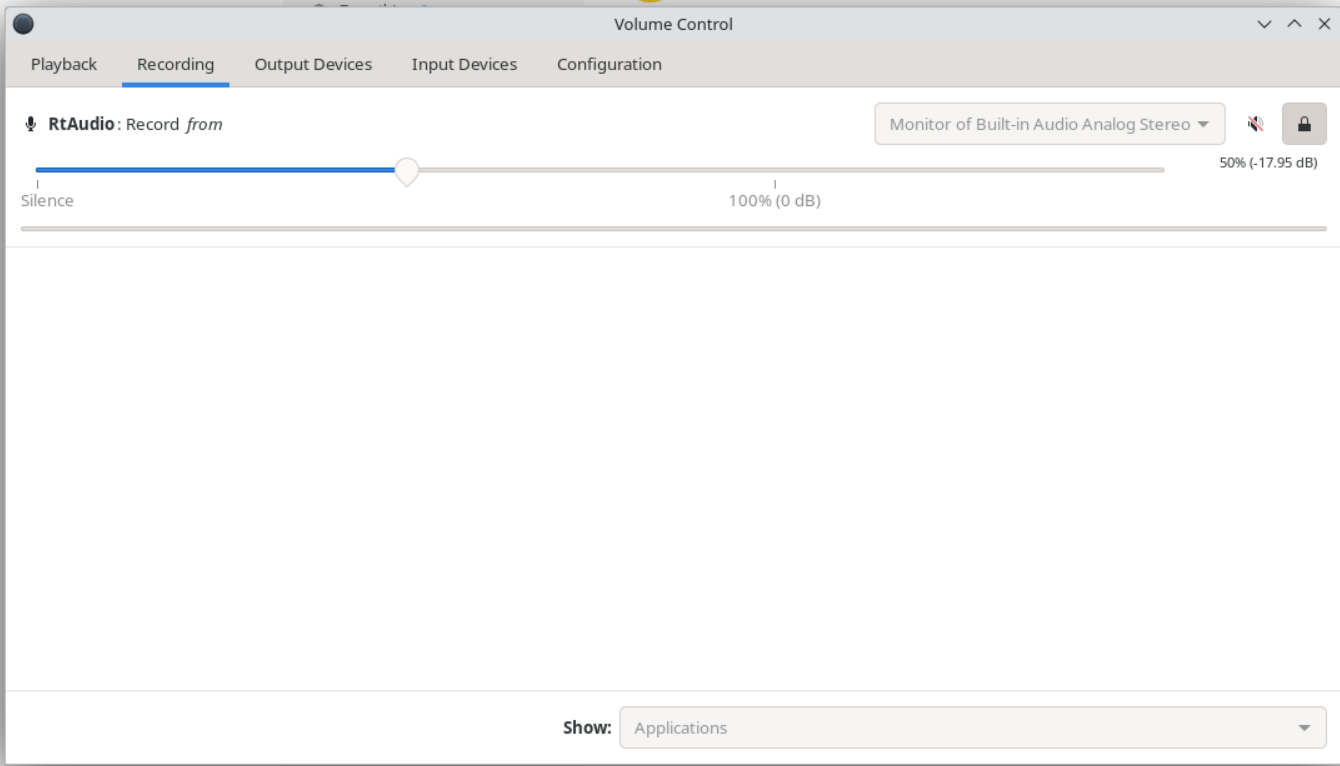
Hey as I was tinkering in pavucontrol, I tried changing the RtAudio in the Recording Tab. I changed it from Built in analog Audio to Monitor of Built in Analog audio.
This time I was testing it with KDE Neon Live installer. In Helvum, the blocks as shown in your image and my previous image was not coming. I don’t know what could be the reason.
But looks like this is my solution. I just need to change the Recording tab’s entry from Built in analog Audio to Monitor of Built in Analog audio. This does the trick immediately and I stop hearing the white noise.
I think your solution does it in the same manner but using a more intuitive GUI.
Previously I was trying it on OpenSuSe Tumbleweed’s Live Installer and Helvum showed those components. Very strange! But I guess the same solution will also work for any other Linux OS! And last time as per your first image, I was trying to connect it incorrectly. In your second image, you made it clear!
Thank you so much for your time and effort!!