Hello, I’vee been trying every version of AudioRelay and I have been having the error “Failed to launch JVM”. I’ve tried every fix form the forum and nothing seems to work.
Hi,
I’d need more details. Assuming you’re on Windows, could you please try these steps?
- Start PowerShell
- Run
cd 'C:\Program Files (x86)\AudioRelay\' - Try
.\runtime\bin\java.exe -cp "app/audiorelay.jar" com.azefsw.audioconnect.desktop.app.MainKt- If the command shows something, then you could try to create the log file via
.\runtime\bin\java.exe -cp "app/audiorelay.jar" com.azefsw.audioconnect.desktop.app.MainKt > "$env:USERPROFILE\desktop\output.log" 2>&1 - Otherwise, copy-paste the result
- If the command shows something, then you could try to create the log file via
PS C:\\Program Files (x86)\\AudioRelay> .\\runtime\\bin\\java.exe -cp "app/audiorelay.jar" com.azefsw.audioconnect.desktop.app.MainKt
.\\runtime\\bin\\java.exe : The term '.\\runtime\\bin\\java.exe' is not recognized as the name of a cmdlet, function, script
file, or operable program. Check the spelling of the name, or if a path was included, verify that the path is correct
and try again.
At line:1 char:1

* .\\runtime\\bin\\java.exe -cp "app/audiorelay.jar" com.azefsw.audioconne ...
*
    + CategoryInfo          : ObjectNotFound: (.\runtime\bin\java.exe:String) [], CommandNotFoundException
    + FullyQualifiedErrorId : CommandNotFoundException
Getting Failed to launch JVM via the shortcut, I assume, and not finding the java.exe via the terminal is strange…
Looks like something messed with the installation… What antivirus and OS version do you use?
I’d suggest to try to uninstall the app first and installing it again.
After that, could you please report the result of these commands?
First do
cd 'C:\Program Files (x86)\AudioRelay\'
Then try again
.\runtime\bin\java.exe -cp "app/audiorelay.jar" com.azefsw.audioconnect.desktop.app.MainKt
if the result is still The term '.\\runtime\\bin\\java.exe' is not recognized as the name of a cmdlet then please report the result of
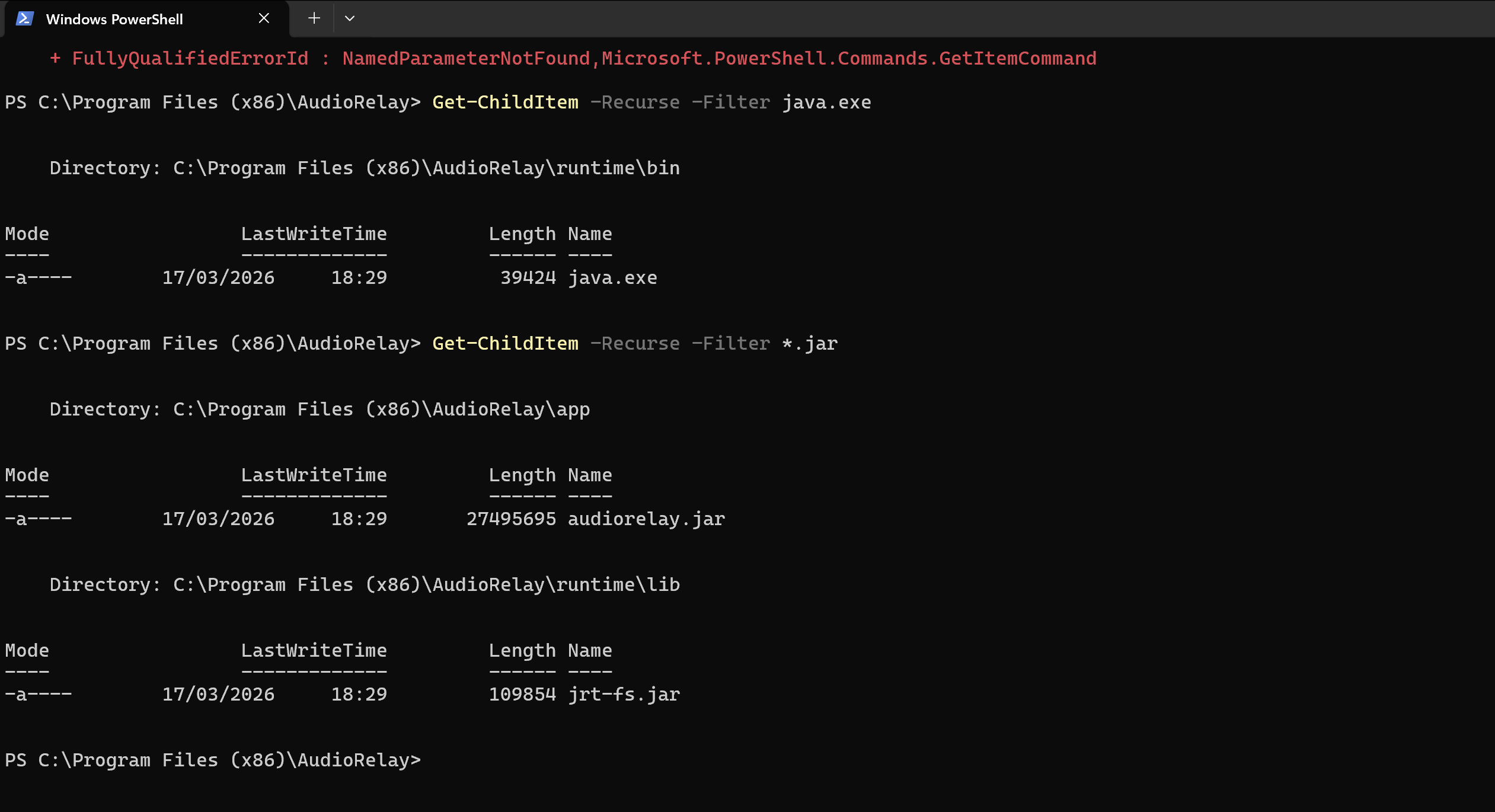
Get-ChildItem -Recurse -Filter java.exe
Get-ChildItem -Recurse -Filter *.jar
When the installation is OK, we should see something like this
Thank you for your answer, I’ve actually fixed the problem, the problem was with my OS that setup some contrast gamma setting in hexadecimal instead of decimal, it was on regedit, I changed that and now it works like a charm, this wasn’t the only program that had this issue. Thank you for your time though.